
AD Sponsored Post
We recently tried out the Annie Baby Monitor app, and I wanted to share our experience. As a mum juggling the two boys, finding tools that genuinely work (and give me a bit of peace of mind) is like striking gold. So—does this baby monitor app hit the mark? Let’s dive into it.
Why we decided to try Annie Baby Monitor
With the younger one still drifting between naps and full nights, I was keen on a flexible solution. I didn’t want (or have space for) a bulky hardware-only baby monitor right now. Plus, one of the great things: you can use devices you already have—phones, tablets, even a spare device becomes the “baby camera” unit. According to the app’s makers:
“You don’t need to buy an expensive camera … you can use the phones, tablets, computers … you already have at home.”
That kind of flexibility appealed to us.
What is Annie Baby Monitor and how does it work?
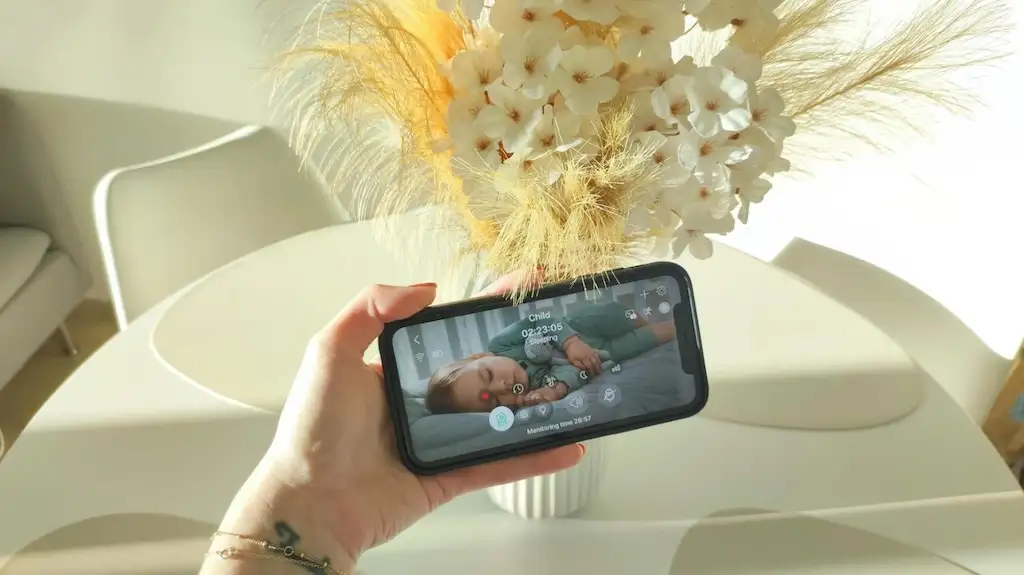
In simple terms: you install the app on one device placed near your baby (“child unit”), and then you install it on your own device (“parent unit”) to monitor from the next room—or even while you’re out. It streams video & audio, and gives alerts when it detects motion or sound.
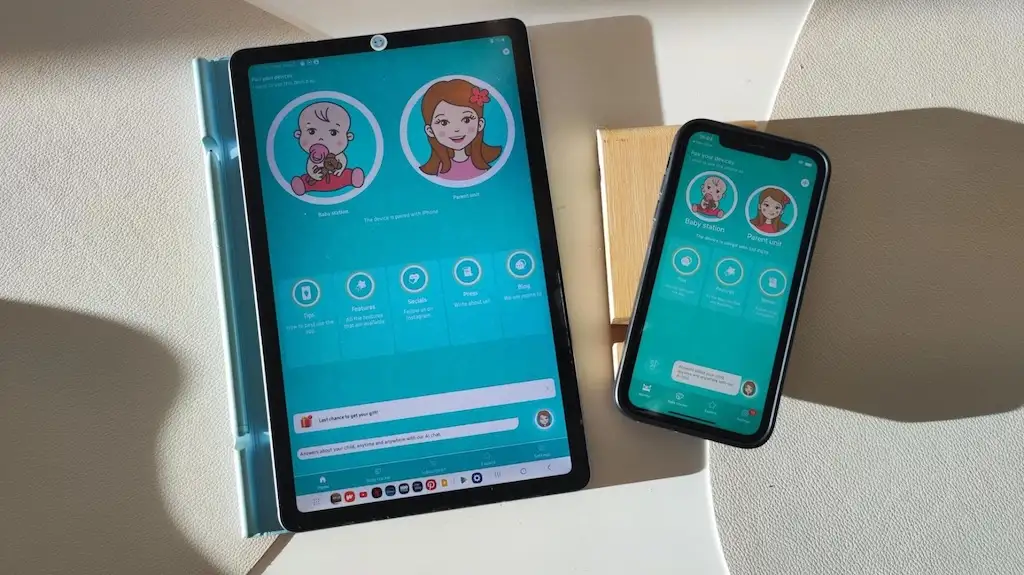
Key things to know about the Annie Baby Monitor
One of the first things that stood out to me is just how flexible it is. The baby monitor app works over both WiFi and mobile data, which means you’re not tied to just the next room — I could pop out into the garden and still keep an eye (and ear) on the baby. I also really like that security and encryption are built in. It’s reassuring to know that those little family moments are kept private and protected. And for anyone on the fence, there’s a three-day free trial, so you can try it out properly before deciding if it’s right for you — a nice touch that makes testing it completely risk-free.
Our experience: setting up & everyday use
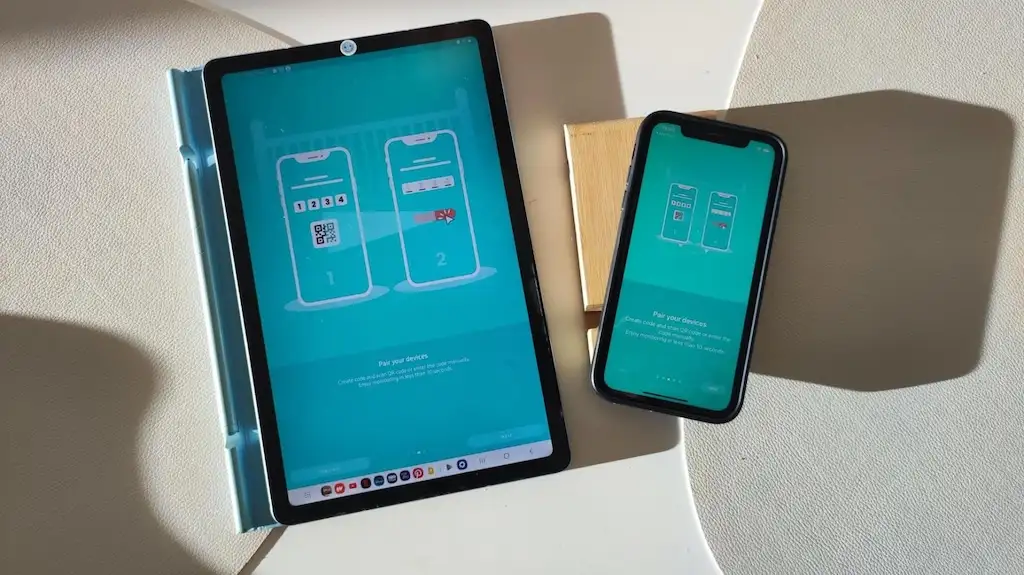
Setting it up was pretty straightforward—I used an old tablet for the baby unit and my phone for the parent unit. I like that there was no extra hardware to buy (just used what we already had).
Within a few minutes, we had video, audio and alerts working. The design is clean, intuitive—great for a slightly sleep-deprived parent like me who doesn’t want a steep tech learning curve.
From there:
- I tried walking into the garden (still inside the WiFi range) to check connection: it held up.
- Late at night, I sometimes switched off the screen on the parent unit and it still sent sound alerts.
- The flexibility: could check in from upstairs, from the lounge—without “baby-monitor screen” being soldered to a nightstand.
Things we love about the Annie Baby Monitor Review
Here are the things we loved (and the ones to watch).
- The video and audio monitoring is one of my favourite features. There’s something so reassuring about being able to actually see the baby drift off to sleep, especially when you’re downstairs tidying up or trying to enjoy a quick cup of tea. The picture quality is clear, and the sound picks up even the softest little noises — perfect for those light-sleeping moments.
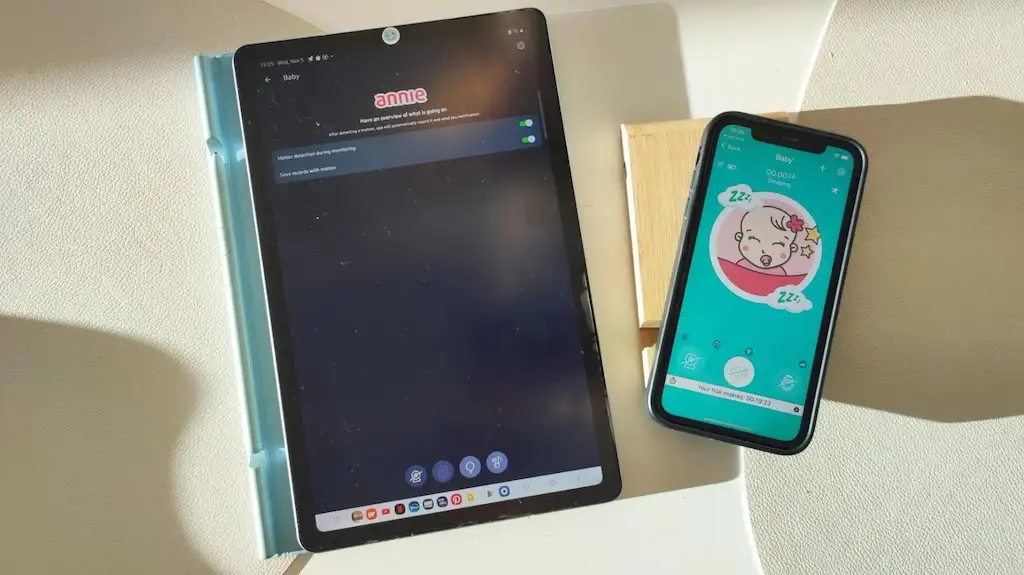
- I also really like the sound and motion alerts. Whenever the baby stirred or made a noise, I got a gentle ping on my phone. It’s subtle enough not to startle you but still gives that instant reassurance that all is well (or that it’s time for a quick cuddle!).
- Another feature I love is the unlimited range. Because this baby monitor app works over WiFi and mobile data, it doesn’t matter if one of us is upstairs or even out in the garden — we can still see and hear everything clearly. It’s ideal for busy parents who are constantly moving around the house.
- And finally, there’s a three-day free trial available, which I think is a lovely touch. It gives you a chance to properly test the app and make sure it works for your setup before committing. For me, that kind of flexibility makes a big difference — no pressure, just try it out and see if it fits your family’s routine.
Some things to be aware of…
Like any app, there are a few things to keep in mind.
- The connection reliability really depends on your WiFi strength. We found it worked beautifully most of the time, but if the signal dropped or I switched networks, there could be a brief pause in the feed. It’s nothing major, but worth knowing if your home WiFi can be a little temperamental.
- The subscription model is another thing to consider. After the free trial, you do need to pay to keep using the app. Personally, I don’t mind this too much — it’s still far cheaper than buying a hardware baby monitor — but it’s definitely something to factor into your budget.
- When it comes to device performance, I noticed that newer phones and tablets handle the video stream much better. Older devices might lag slightly, especially in low-light conditions, so if you’re using a spare phone, just make sure it’s reasonably up to date.
- And finally, because the app runs over WiFi or mobile data, security is really important. The good news is that the makers have clearly thought about this — they highlight their encryption and privacy features, which gives me peace of mind that everything stays safely between us and baby.
How much does the Annie Baby Monitor cost and where to get it?
As I mentioned earlier, there’s a 3-day free trial so you can test it without cost. Afterwards, there are subscription options available on a weekly, monthly, and yearly basis. The price starts at the cost of a Starbucks coffee (haha), which is $4.99 per week. You can also choose a monthly subscription for $9.99 per month or an annual subscription, which will cost you $49.99 per year.
You can download Annie Baby Monitor from the App Store (iOS) or Google Play (Android).

In summary, Is Annie Baby Monitor worth it?
Yes—I would recommend Annie Baby Monitor, with a little caveat. If you’re a parent looking for a flexible, good-value baby monitor solution and you already have a spare device lying around, this baby monitor app is a strong choice.
It won’t completely replace a premium dedicated baby monitor with multiple cameras, tilt/zoom, super high-end night vision etc—but for everyday use? It hits the sweet spot.
Just be sure you have reliable WiFi (or mobile data), check device performance, and are comfortable with the subscription model. If any of those are shaky, you might want to test thoroughly in the trial period.
Bottom line: Annie Baby Monitor gave us ease, flexibility and reassurance—just what I needed in the “busy parenting” phase. If you’re thinking of something light, smart and app-based, give it a go.
And because you know I like to hear from other parents: have you tried a baby monitor app instead of hardware? What did you love (or hate)? Feel free to drop me your thoughts below!